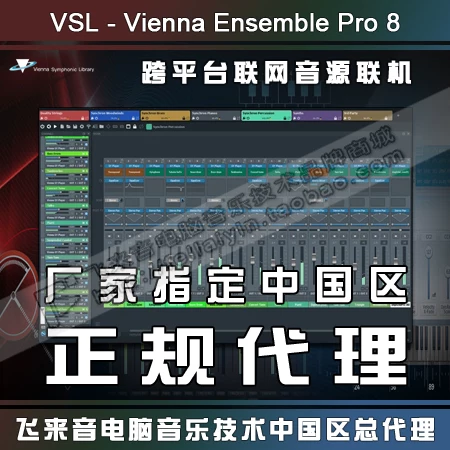



VSL 维也纳将他们的特色产品 Vienna Ensemble Pro 升级到 8.1!
这次更新带来了最引人瞩目的 AI 集成功能,帮你迅速创建模板和完成前期工作!

这次更新带来了最引人瞩目的 AI 集成功能,帮你迅速创建模板和完成前期工作!
Vienna Ensemble Pro has long been the backbone of professional studios worldwide, connecting virtual instruments, effects, and computers into one powerful network across Macs and PCs.
With Vienna Ensemble Pro 8.1, this concept reaches a new level of intelligence and reliability, offering smarter server networking, faster loading times, heightened stability, newly included FX plug-ins and even connectivity to your AI assistant.
Whether on a single machine or across complex multi-computer setups, Vienna Ensemble Pro 8.1 excels as the creative hub at the heart of your studio.
Vienna Ensemble Pro 长期以来一直是全球专业录音棚的中流砥柱,能将虚拟乐器、效果器与各台电脑整合为跨越 Mac 与 PC 的强大网络。
全新的 Vienna Ensemble Pro 8.1 更加智能,将此理念提升至可靠高度——提供更聪慧的服务器联网、更迅捷的加载速度、更强的稳定性、新增内置 FX 插件,甚至支持连接你的 AI 助手。
无论是单机还是复杂的多机联机配置,Vienna Ensemble Pro 8.1 都是你录音棚当之无愧的创意核心。
Overview
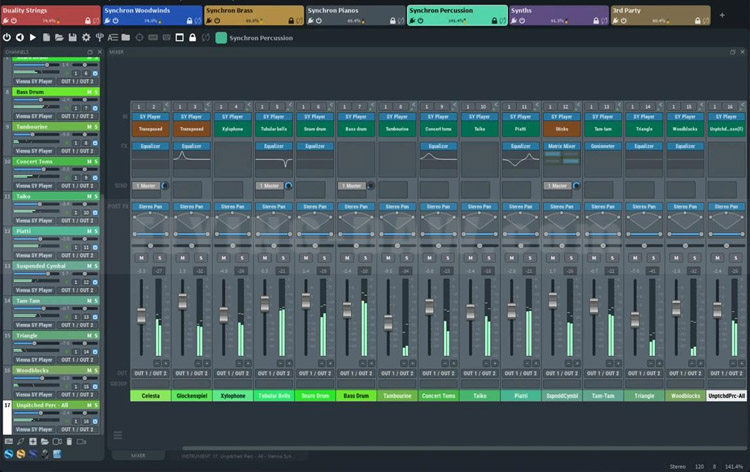
Cross-platform MIDI and audio LAN mixing host
Networked hosting of VST/AU plug-ins across Macs and PCs
MCP server (Public Beta) for prompting with your own AI assistant
Group Edit to sync settings of all Synchron Player instances
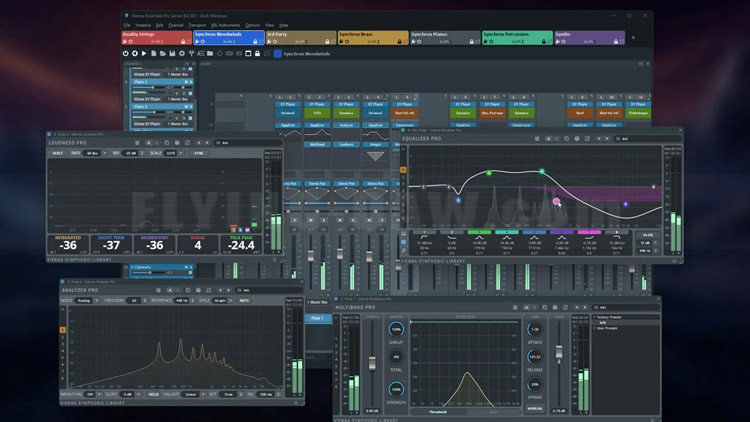
Integrated Synchron Stage Reverb and Vienna Suite Pro plug-ins
Create large templates quickly using Channel Sets library
Numerous studio life savers such as crash protection, preserve instances, plug-in pooling, automation mapping, activity monitor, and many more.
概览
跨平台 MIDI 与音频局域网混音宿主
支持在 Mac 与 PC 间通过网络托管 VST/AU 插件
MCP 服务器(公测版),用于与你自己的 AI 助手进行提示交互。
群组编辑功能可同步所有 Synchron Player 实例的设置
集成 Synchron Stage Reverb 与 Vienna Suite Pro 插件
使用 Channel Sets 库快速创建大型模板
包含众多工作室实用功能:崩溃保护、实例保留、插件池化、自动化映射、活动监视器等。
New Version 8.1 Features
8.1 新版功能
Channels & Presets
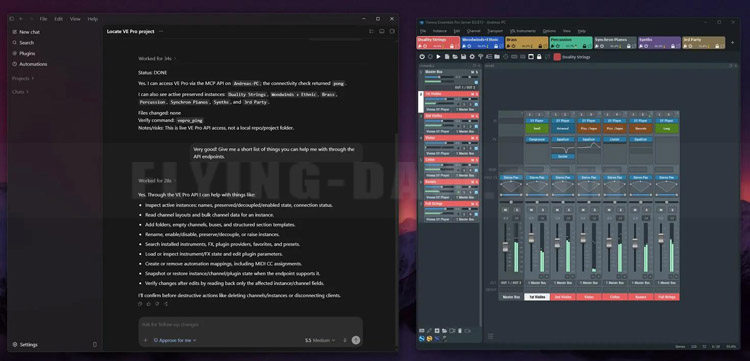
New MCP server (Public Beta) – control Vienna Ensemble Pro with your AI assistant by Anthropic (Claude), Google (Antigravity), or OpenAI (Codex). Requires your own AI subscription.
Rock-solid Audio Input, now handles mono, stereo, surround and immersive inputs
Immersive & 3D support up to 22.2, Dolby Atmos and Auro-3D, incl. all Vienna Suite Pro plug-ins
Redesigned Automation browser with convenient search and full undo
Reworked auto-backup keeps your projects safe
Automatic VST2-to-VST3 migration of hosted plug-ins with saved states preserved
Smarter folder and channel enable/disable plus a new Force Enable command
MIDI-aware channels – auto-enable on incoming MIDI, with smarter instance focus
Countless performance, stability and interface refinements
通道与预设
全新 MCP 服务器(公开测试版) —— 可通过 Anthropic (Claude)、Google (Antigravity) 或 OpenAI (Codex) 的 AI 助手控制 Vienna Ensemble Pro,需自备 AI 订阅。
更稳健的音频输入 —— 现支持单声道、立体声、环绕声及沉浸式音频输入。
沉浸式 & 3D 音频支持 —— 最高支持 22.2 声道,兼容 Dolby Atmos 与 Auro-3D,包含所有 Vienna Suite Pro 插件。
重新设计的自动化浏览器 —— 配备便捷搜索功能与完整撤销支持。
重构的自动备份 —— 时刻保障你的项目安全。
VST2 至 VST3 自动迁移 —— 托管插件可自动迁移,并保留已保存的状态。
更智能的文件夹与通道启用/禁用 —— 新增"强制启用"命令。
MIDI 感应通道 —— 检测到传入 MIDI 时自动启用,并更智能地聚焦实例。
无数性能、稳定性与界面细节优化
Performance & Workflow
Plug-in Pooling – When loading project data into an instance that already contains similar plug-in configurations,
Vienna Ensemble Pro 8 intelligently reuses existing plug-ins instead of recreating or reloading them, greatly improving load times and often reducing the need for the “Decouple” feature.
Crash Protection – If a project file (.vep or .vesp) crashes during loading, you can selectively disable the element that caused the crash on the next load attempt,
with the option to disable other elements as well (for example, all plug-ins of the same type).
Large templates remain accessible and editable, preventing a single faulty plug-in from rendering an entire project unusable.
Activity Monitor – Displays a detailed, sortable overview of CPU and performance usage for each instance, channel, and plug-in, allowing you to quickly locate heavy performance hitters or plug-ins that have hung during processing.
Search function – Use Ctrl/Cmd+F to quickly find plug-ins, channels, or parameters within an instance and Ctrl/Cmd+Shift+F across the entire server.
Undo/Redo History – track and revert changes directly from the Edit menu.
性能与工作流
Plug-in Pooling —— 当向已包含相似插件配置的实例中加载工程数据时,
Vienna Ensemble Pro 8 会智能复用现有插件,而非重新创建或重载,大幅缩短加载时间,通常也减少了对 Decouple 功能的依赖。
Crash Protection —— 若项目文件(.vep 或 .vesp)在加载过程中崩溃,
下次打开时可选择性禁用引发崩溃的元素,也可禁用其他元素(例如同种类型的所有插件)。
大型模板始终保持可访问和可编辑状态,避免单个故障插件导致整个工程无法使用。
Activity Monitor —— 详细显示每个实例、通道及插件的 CPU 与性能占用情况,支持排序,助你快速定位占用过高或处理中挂起的插件。
Search function —— 在实例内按 Ctrl/Cmd+F快速查找插件、通道或参数;按 Ctrl/Cmd+Shift+F可在整个服务器范围内搜索。
Undo/Redo History —— 可直接从"编辑"菜单追踪并回退更改。
Networking & Connectivity
Servers are now identified by name instead of IP address – no need for static IPs.
Automatic connection by Server Name for seamless template switching between machines.
New “Accept new connections” option in Server Preferences for better control while switching host projects.
Improved reliability of server discovery (no longer dependent on Bonjour).
网络与连接
服务器按名称识别 —— 不再依赖 IP 地址,无需再配置静态 IP。
按服务器名称自动连接 —— 可在不同机器间无缝切换模板。
新增 “Accept new connections” 选项 —— 位于服务器偏好设置中,在切换宿主项目时提供更佳控制。
改进服务器发现可靠性 —— 不再依赖 Bonjour 服务。
Other Improvements
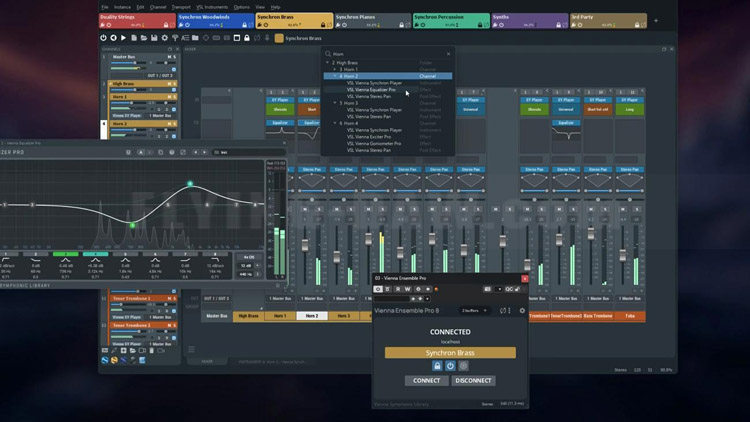
Major GUI refresh – modernized, more responsive, and easier to navigate.
OSC interface fully documented
其他改进
重大 GUI 刷新 —— 界面现代化,响应更灵敏,导航更便捷。
OSC 接口完整文档化
官方网址:
https://www.vsl.co.at/products/software/vienna-ensemble-pro-8
产品价格:
VE PRO 8.1 正常价格 199 欧元,7 月 14日前首发促销 149 欧元,
拥有 VE PRO 8.0 的用户免费升级,更早版本用户升级也有优惠,
中国区的用户请在总代理飞来音电脑音乐技术购买。
重大 GUI 刷新 —— 界面现代化,响应更灵敏,导航更便捷。
OSC 接口完整文档化
官方网址:
https://www.vsl.co.at/products/software/vienna-ensemble-pro-8
产品价格:
VE PRO 8.1 正常价格 199 欧元,7 月 14日前首发促销 149 欧元,
拥有 VE PRO 8.0 的用户免费升级,更早版本用户升级也有优惠,
中国区的用户请在总代理飞来音电脑音乐技术购买。